

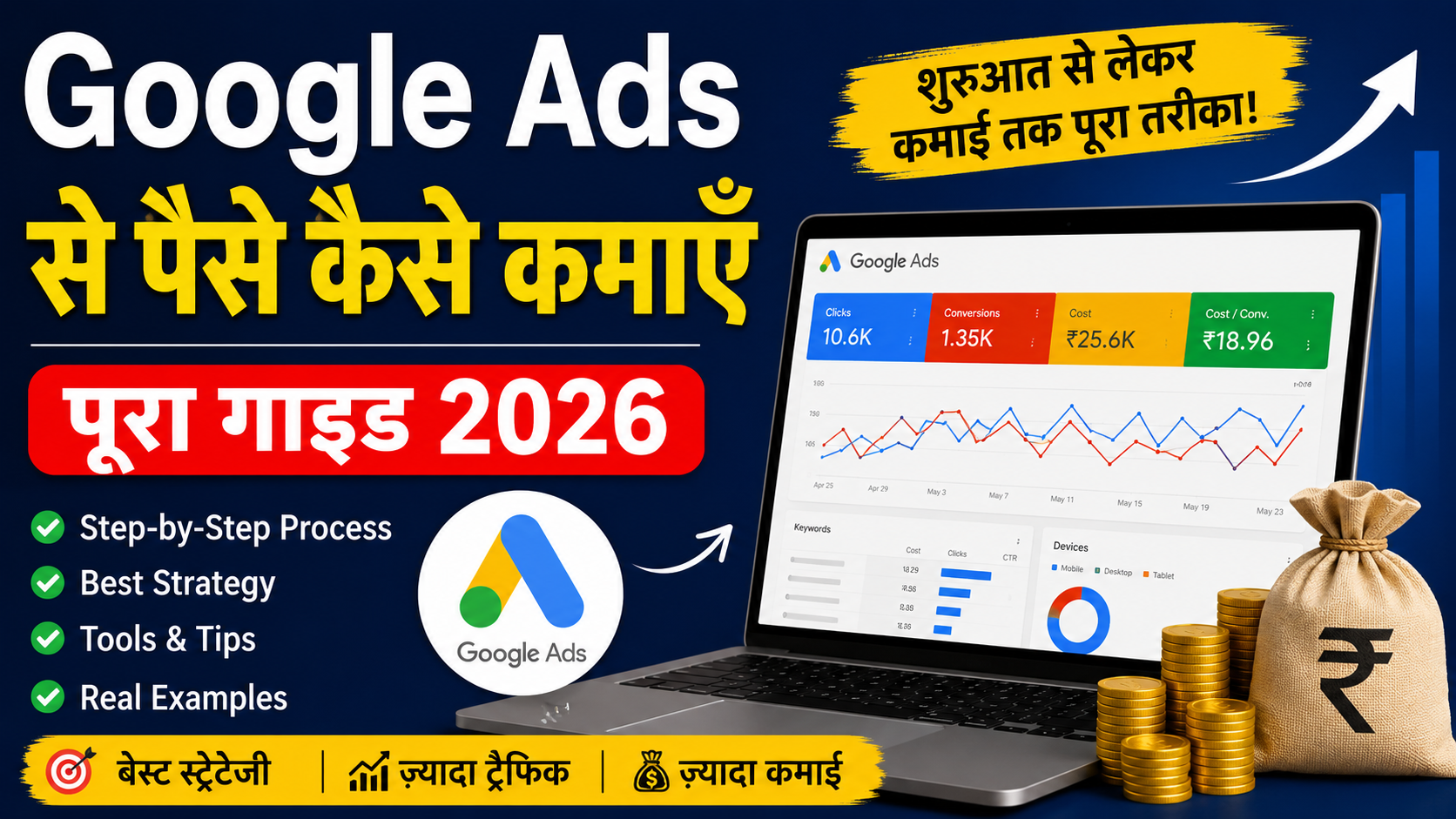
Google Ads क्या है — Simple Language में
Google Ads एक paid advertising platform है जहाँ businesses अपने products या services promote करने के लिए Google को payment करते हैं। ये payment usually "pay-per-click" model पर based होती है — मतलब आप तब पैसे देते हैं जब कोई user आपके ad पर click करता है।
लेकिन यहाँ confuse होने की जरूरत नहीं है। Google Ads सिर्फ "ads दिखाना" नहीं है। यह एक complete ecosystem है जिसमें Search ads, Display ads, YouTube ads, Shopping ads, और Performance Max campaigns शामिल हैं। 2026 में Google ने AI को और deeply integrate कर दिया है, जिससे platform automated हो गया है लेकिन साथ ही learning curve भी बढ़ गई है।
Google Ads से पैसे कमाने का मतलब यह नहीं कि आप Google को payment करेंगे और वो आपको double पैसा देगा। पैसे कमाने के लिए आपको एक proper business model चाहिए — affiliate marketing, lead generation, ecommerce, या अपनी service sell करना। Google Ads सिर्फ traffic लाने का channel है। बाकी सब आपके offer, landing page, और follow-up पर depend करता है।
Google Ads से पैसे कमाने के तरीके
Google Ads से पैसे कमाने के कई तरीके हैं। मैंने खुद तीन methods try किए हैं — affiliate marketing, lead generation, और ecommerce ads। हर method का अपना risk, reward, और skill requirement है।
Affiliate Marketing with Google Ads
Affiliate marketing में आप किसी और का product promote करते हैं और हर sale पर commission earn करते हैं। Google Ads इसके लिए बहुत effective है क्योंकि आप high-intent keywords पर bid कर सकते हैं।
जैसे मान लीजिए आप Hostinger का affiliate program join करते हैं। आप "best web hosting India" या "cheap hosting for beginners" जैसे keywords पर ads run कर सकते हैं। जब कोई user click करके hosting buy करता है, आपको ₹1000-₹3000 तक commission मिल सकता है।
लेकिन यहाँ problem यह है कि Google Ads की policies affiliate links को directly promote करने के against strict हैं। आपको अपना landing page बनाना पड़ेगा जहाँ value provide करें, फिर वहाँ से affiliate link दें। Direct affiliate link in ad copy या landing page — disapprove हो जाएगा।
Lead Generation
Lead generation मेरा favorite method है। यहाँ आप local businesses के लिए leads generate करते हैं — dentists, real estate agents, lawyers, home service providers। आप Google Ads run करते हैं, form भरवाते हैं, और हर lead को ₹200-₹1000 में बेचते हैं।
एक plumber के लिए अगर आप 10 leads daily generate करते हैं at ₹300 per lead, तो ₹3000 daily revenue। लेकिन plumber को actually value मिलनी चाहिए — fake leads या low-quality calls से relationship खराब हो जाता है।
Ecommerce Ads
Ecommerce में आप अपना product sell करते हैं या dropshipping करते हैं। Google Shopping ads इसके लिए best हैं क्योंकि user directly product image, price, और review देखकर click करता है। Conversion rate usually 2-4% होता है ecommerce में।
Local Business Ads
Local businesses — restaurants, clinics, salons — के लिए Google Ads बहुत effective हैं। Location extensions और call extensions add करके आप directly phone calls drive कर सकते हैं। Local markets में CPC usually कम होता है लेकिन volume भी limited होती है।
YouTube Ads
YouTube ads का CPC बहुत कम होता है — average $0.18। लेकिन conversion rate भी lower है क्योंकि user video देख रहा होता है, buy करने का intent नहीं। YouTube ads best हैं brand awareness और remarketing के लिए। TrueView in-stream ads skip होने पर payment नहीं लेते, तो आपको free impressions मिलते हैं।
Display Ads
Display Network पर CPC around $0.44 रहता है। CTR बहुत low — 0.39% average। लेकिन remarketing campaigns में Display ads 2-3x better perform करते हैं। कोई आपकी website visit करके चला गया, उसे banner ad में दोबारा दिखाना — यही Display remarketing का power है।
Search Ads
Search ads सबसे traditional और high-intent format हैं। User actively search कर रहा है "buy running shoes online" — आपका ad दिखता है। Average CPC $2.69-2.96 रहता है, CTR 3.5-4.2%। यह direct response marketing का backbone है।
Google Shopping Ads
Shopping ads ecommerce के लिए specifically designed हैं। Product feed upload करते हैं, Google Merchant Center से connect करते हैं, और ads automatically product image के साथ दिखते हैं। Average CPC $0.72 रहता है, conversion rate 2.81%। 2026 में Performance Max ने Shopping ads को absorb कर लिया है लेकिन standalone Shopping campaigns अभी भी run हो सकते हैं।
CPC, CTR, ROAS — Simple Explanation
ये terms beginners को confuse करते हैं। मैं simple language में explain करता हूँ।
CPC (Cost Per Click)
CPC वो amount है जो आप हर click के लिए pay करते हैं। अगर आपका daily budget ₹1000 है और 50 clicks आए, तो average CPC ₹20 हुआ। CPC industry पर depend करता है — legal services में $6-12, ecommerce में $0.80-3।
India में CPC usually lower होता है US/Europe से। "Best lawyer in Delhi" जैसे keyword पर CPC ₹80-150 हो सकता है, "free resume template" पर ₹5-10। High CPC का मतलब यह नहीं कि expensive है — अगर conversion rate अच्छा है और customer value high है, तो ₹100 CPC भी profitable हो सकता है।
CTR (Click-Through Rate)
CTR = (Clicks / Impressions) × 100। मतलब 1000 लोगों ने आपका ad देखा, 40 ने click किया, CTR 4%। Search ads में average CTR 3-4%। अगर आपका CTR 2% से कम है, तो ad copy या keyword relevance में problem है।
CTR improve करने के लिए ad extensions use करें — sitelinks, callouts, structured snippets। Google का data कहता है कि extensions CTR को 20% तक बढ़ा सकते हैं।
ROAS (Return on Ad Spend)
ROAS = Revenue / Ad Spend। अगर आपने ₹10,000 spend किए और ₹40,000 revenue generate हुआ, ROAS 4:1 है। Sustainable ROAS usually 3:1 या higher होना चाहिए। Low margin products के लिए 2:1 भी चल सकता है, high margin services के लिए 5:1+ target करें।
Keyword Research — The Foundation
Keyword research Google Ads का सबसे important part है। गलत keywords = wasted budget।
Tools for Keyword Research
- Google Keyword Planner — free tool, Google Ads account में available। Search volume, competition, और suggested bid दिखाता है।
- Ahrefs/SEMrush — paid tools, competitor keywords analyze करने के लिए best।
- Ubersuggest — Neil Patel का tool, beginners के लिए sufficient।
- Google Search Console — अगर आपकी website already traffic ला रही है, तो वहाँ से keyword ideas मिल सकती हैं।
Process
Start with seed keywords। अगर आप "digital marketing course" sell कर रहे हैं, seed keywords होंगे: digital marketing course, online marketing training, SEO course, PPC course।
फिर Keyword Planner में डालें, related keywords निकालें। Filter करें:
- High intent (buy, best, top, compare)
- Reasonable CPC
- Sufficient search volume (at least 100 monthly)
Long-tail keywords पर focus करें — "best digital marketing course in Mumbai under 10000" — competition कम, intent high।
Match Types — Exact, Phrase, Broad
Google Ads में three match types हैं:
Exact Match
Syntax: `[digital marketing course]`
Ad सिर्फ exact keyword या close variations पर दिखेगा। Sabse high intent, sabse low volume, sabse high CPC। Beginners को यहाँ start करना चाहिए।
Phrase Match
Syntax: `"digital marketing course"`
Ad तब दिखेगा जब keyword same order में हो, before/after extra words allowed। Balance between control और reach।
Broad Match
Syntax: `digital marketing course`
Google synonyms, related searches, misspellings सब पर ad दिखा सकता है। Maximum reach, maximum irrelevant traffic risk। 2026 में AI Max के साथ broad match और powerful हो गया है लेकिन beginners के लिए risky।
Cascading Method
मैं personally यह method use करता हूँ:
- Exact Match — highest bid (सबसे qualified traffic)
- Phrase Match — medium bid
- Broad Match — lowest bid (testing के लिए)
Negative Keywords — Budget बचाने का Secret
Negative keywords वो terms हैं जिन पर आपका ad नहीं दिखना चाहिए। यह beginners की सबसे बड़ी mistake है — negative keywords ignore करना।
Example: आप "premium watches" sell कर रहे हैं। Negative keywords add करें:
- free
- cheap
- DIY
- repair
- second hand
"Free watches" search करने वाला आपका customer नहीं है। उस click पर पैसा waste होगा।
Weekly search terms report check करें और irrelevant queries को negative list में add करते रहें। Minimum 50-100 negative keywords start में ही add करें।
Landing Page Optimization
Ad click करने के बाद 90% काम landing page पर होता है। खराब landing page = high CPC + zero conversions।
Key Elements
- Message Match — Ad में जो promise किया, landing page पर वही deliver करें। "50% off" ad में दिखाया, landing page पर discount नहीं — bounce rate 80%+।
- Clear Headline — 5 seconds में user को समझ आना चाहिए कि यह page किस बारे में है।
- Trust Signals — Testimonials, security badges, money-back guarantee।
- Single CTA — एक page, एक primary action। Form भरो, buy करो, या call करो — confuse मत करो।
- Mobile Optimization — 70%+ traffic mobile से आती है। Page speed 3 seconds से कम होनी चाहिए।
Quality Score Impact
Google landing page relevance को Quality Score में factor करता है। Quality Score 1-10 scale पर होता है। 7+ score से CPC कम होता है, ad position better मिलती है।
Conversion Tracking Setup
Conversion tracking बिना Google Ads blind flight है। आपको पता ही नहीं चलेगा कि कौनसा keyword, कौनसा ad, कौनसा campaign actually sale ला रहा है।
Setup Process
- Google Ads account में Tools > Conversions जाएँ
- Website पर Google Tag install करें (Google Tag Manager से easier)
- Conversion action define करें — purchase, lead form submit, phone call
- Value assign करें — अगर product ₹5000 का है, conversion value ₹5000 डालें
- Test करें — Tag Assistant extension use करके verify करें
Enhanced Conversions
2026 में Enhanced Conversions must-have है। यह first-party data (email, phone) hash करके Google को भेजता है, जिससे iOS privacy restrictions के बावजूद tracking accurate रहती है। Pixel-only tracking से 92% conversions capture होती हैं Enhanced Conversions के साथ, बिना इसके सिर्फ 58%।
Audience Targeting
Keywords से ज्यादा important audiences हो गई हैं 2026 में। Google AI अब browsing behavior, demographics, और first-party data analyze करता है।
Audience Types
- In-Market Audiences — वो users जो actively किसी product category में buy करने की research कर रहे हैं।
- Custom Intent Audiences — अपने keywords से custom audience बनाएँ।
- Remarketing Audiences — Website visitors, cart abandoners, past purchasers।
- Similar Audiences — आपके best customers जैसे lookalike users। (Note: Similar audiences 2024 में retire हो गए थे, अब Optimized Targeting use होता है)
Observation vs Targeting
Observation mode में आप audiences add करते हैं लेकिन bid सिर्फ keyword पर based होता है — data collect करने के लिए best। Targeting mode में ad सिर्फ selected audience को दिखता है — narrow but precise।
Budget Management
Beginners का सबसे common सवाल: "Kitna budget रखें?"
Realistic Starting Budget
India में ₹500-1000 daily ($15-30) से start करें। यह enough है data collect करने के लिए। 2-4 weeks run करें, फिर analyze करें। अगर profitable लगे, scale करें। अगर loss हो, optimize करें या pause करें।
Budget Allocation Strategy
High-performing accounts में common split:
- 50-60% Search (conversion focus)
- 15-20% Shopping/Performance Max
- 10-15% Display remarketing
- 10-15% YouTube awareness
Daily vs Shared Budget
Individual campaign budgets से control better रहता है। Shared budget use करें सिर्फ जब multiple similar campaigns run कर रहे हों।
Bidding Strategies
Google Ads में bidding strategies choose करना critical decision है।
Manual CPC
आप खुद keyword-level bid set करते हैं। Full control, लेकिन time-consuming। Best for: new accounts with low conversion volume, testing phase।
Maximize Clicks
Google maximum clicks लाने की कोशिश करता है within budget। Avoid करें — quantity over quality।
Target CPA (tCPA)
Google आपका target cost-per-acquisition maintain करने की कोशिश करता है। 50+ monthly conversions चाहिए effective optimization के लिए।
Target ROAS (tROAS)
Revenue-based bidding। Ecommerce के लिए best। Average CPA $44.67, CVR 5.11%।
Maximize Conversions
Volume focus, no target CPA। New accounts के लिए useful जब कोई historical data नहीं।
Smart Bidding Performance
Data clear है — Smart Bidding (AI-managed) manual CPC से better perform करता है mature accounts में। Average CPA 22% कम, conversion volume 15% ज्यादा। लेकिन 2-4 weeks का learning period चाहिए, और 50+ monthly conversions required हैं reliable optimization के लिए।
Common Beginner Mistakes
मैंने जो mistakes खुद की हैं और clients के accounts में देखी हैं:
1. Broken Conversion Tracking
सबसे expensive mistake। Tracking fail होने पर Google's algorithm clicks optimize करता है, conversions नहीं। Result: 340% higher CPA, 67% lower ROAS। Weekly check करें Google Ads vs GA4 data।
2. No Negative Keywords
Budget drain होता है irrelevant clicks से। Weekly search terms report review must है।
3. Wrong Match Types
Sirf broad match use करना = disaster। Exact से start करें, फिर expand करें।
4. Irrelevant Landing Pages
Ad promise और landing page mismatch = high bounce rate, wasted spend।
5. Wrong Bid Strategy
New account में tROAS लगा देना = algorithm confused होगा क्योंकि no conversion history। Start with Manual CPC or Maximize Conversions।
6. No Ad Extensions
Extensions CTR 20% बढ़ा सकते हैं। Call extensions, sitelinks, location extensions — सब add करें।
7. Ignoring Mobile Experience
70% mobile traffic, लेकिन landing page desktop-optimized। Page speed 3 sec से ज्यादा = user leave।
8. Not Using Experiments
A/B testing नहीं करना = never knowing what works better। Google Ads Experiments feature use करें landing pages, ad copy, bid strategies test करने के लिए।
9. Pausing Too Early
2-3 days में campaign pause कर देना। Learning period 2-4 weeks चाहिए।至少 100 clicks या 10 conversions तक wait करें decision लेने से पहले।
10. No Clear Goal
"Traffic chahiye" — यह goal नहीं है। "₹50 mein ek lead" — यह goal है। Specific, measurable goal define करें।
Realistic Expectations — Kitna Kama Sakte Hain?
यहाँ मैं सच बताऊँगा, कोई exaggerated claim नहीं।
Beginner Phase (Month 1-3)
Expectation: Learning, small losses, or break-even। ₹500-2000 daily budget से start करें। पहले 2 months में goal सिर्फ data collect करना और system समझना होना चाहिए। Profit unlikely।
Intermediate Phase (Month 3-6)
अगर consistently optimize कर रहे हैं, तो break-even से slight profit possible। ₹2000-5000 daily budget पर ₹500-2000 daily profit realistic है — depending on niche।
Advanced Phase (6+ months)
Mature campaigns, proven offers, optimized funnels। ₹10000+ daily budget पर ₹5000-15000 daily profit possible in high-margin niches। लेकिन यह 1% scenario है, average marketer को 6-12 months लगते हैं यहाँ पहुँचने में।
Industry Reality
- Affiliate marketing: 5-15% commission rates, thin margins, high competition
- Lead gen: ₹200-1000 per lead, depends on industry
- Ecommerce: 2-4% conversion rate, need 3:1+ ROAS
- Local services: ₹50-200 per call, high close rates possible
Truth: 80% beginners first 3 months में loss करते हैं या break-even रहते हैं। जो persist करते हैं और data-driven decisions लेते हैं, वो long-term में profit कमाते हैं।
AI and Google Ads in 2026
2026 Google Ads में AI का सबसे बड़ा impact year है।
AI Max for Search
Dynamic Search Ads अब AI Max में upgrade हो रहे हैं। AI Max automatically:
- New relevant queries find करता है beyond your keywords
- Ad copy tailor करता है user के search के हिसाब से
- Most relevant landing page select करता है
Average 7% more conversions at similar CPA/ROAS when full feature suite use करते हैं। लेकिन search terms report closely monitor करनी पड़ती है क्योंकि AI wider net cast करता है।
Performance Max Evolution
Performance Max अब Google Ads spend का 34% capture कर रहा है। 2026 में better reporting आई है — पहले black box था, अब कुछ transparency मिलती है कि कौनसा channel (Search, Shopping, YouTube, Display) कितना contribute कर रहा है।
PMax A/B testing beta में available है — different asset combinations test कर सकते हैं।
Ads Advisor
Late 2025 में launch हुआ conversational AI tool। Google Ads interface में directly ask कर सकते हैं — "Why is my CPA increasing?" — और AI account data analyze करके suggestions देगा। Free tool, even for $0 spend accounts।
First-Party Data Focus
AI bidding के लिए first-party data (your CRM, email lists, customer data) feed करना जरूरी हो गया है। Enhanced Conversions और offline conversion import must-have हैं accurate AI optimization के लिए।
Best Tools for Google Ads
Essential Tools
- Google Keyword Planner — Free, keyword research
- Google Analytics 4 — Website behavior tracking
- Google Tag Manager — Tag management without coding
- Google Merchant Center — Shopping ads feed management
- Google Ads Editor — Bulk changes, offline editing
Paid Tools (Worth It)
- Optmyzr — AI-powered optimization suggestions, rule-based automation
- SpyFu — Competitor ad history और keyword research
- SEMrush — Comprehensive competitor analysis
- Unbounce/Instapage — Landing page builder with A/B testing
- CallRail — Call tracking for local lead gen
AI Tools 2026
- Ads Advisor (in-built) — Campaign co-pilot
- Insights Finder (beta) — New audience segments discover करता है
- Asset Studio — Creative adaptation और testing
Google Analytics Integration
GA4 और Google Ads connect करना essential है। Without GA4, आपको पता नहीं चलेगा कि ad click के बाद user website पर क्या कर रहा है।
Setup Steps
- GA4 property बनाएँ (अगर नहीं है)
- Google Ads > Tools > Linked Accounts > Google Analytics
- GA4 property select करें, link करें
- Import conversions from GA4 to Google Ads (optional but recommended)
- Audiences import करें — remarketing lists automatically बन जाएँगी
Key Reports
- Acquisition > Traffic Acquisition — Google Ads से traffic quality
- Engagement > Events — Conversion events tracking
- Monetization > Ecommerce purchases — Revenue attribution
- Advertising > Attribution — Conversion paths और touchpoints
Data Discrepancies
GA4 और Google Ads में conversion numbers match नहीं होते — यह normal है। GA4 last-click model use करता है, Google Ads various attribution models। Variance 15% से ज्यादा हो तो tracking issue check करें।
Google Tag Manager Basics
GTM एक free tool है जिससे बिना developer के website पर tags add कर सकते हैं।
Common Use Cases
- Google Ads Conversion Tag — Purchase, lead form, phone call
- Google Analytics 4 Tag — Page views, events
- Facebook Pixel — Meta ads tracking
- Hotjar/Microsoft Clarity — Heatmaps और session recordings
- Remarketing Tags — Audience lists build करना
Basic Setup
- GTM account बनाएँ, container create करें
- Website में GTM container code add करें (head और body में)
- Tags create करें — Trigger define करें (all pages, form submit, etc.)
- Preview mode में test करें
- Publish करें
GTM सीखने में 2-3 hours लगते हैं basics के लिए, लेकिन यह skill lifetime useful रहेगी।
Ad Copy Writing Tips
Ad copy वो difference है between 2% CTR और 6% CTR।
Principles That Work
- Include Keyword in Headline — User जो search किया, वो headline में देखना चाहता है। Quality Score भी improve होता है।
- Specific Numbers — "50% off" से better है "Save ₹2,500 today"। Concrete beats vague।
- Clear CTA — "Buy Now", "Get Free Quote", "Call Today" — action-oriented verbs।
- Address Pain Point — "Tired of slow hosting?" problem mention करें, फिर solution दें।
- Social Proof — "Join 10,000+ students", "Rated 4.8/5" — trust build करता है।
- Urgency/Scarcity — "Limited seats", "Offer ends tonight" — but genuine हो, fake urgency damage करती है reputation।
Headline Formulas That Work
- {Outcome} without {Pain} — "Lose weight without gym membership"
- {Number} ways to {Benefit} — "5 ways to double your traffic"
- {Benefit} in {Timeframe} — "Learn Python in 30 days"
- How {Audience} {Achieves Result} — "How beginners earn ₹50k/month"
Description Tips
- 90 characters में value proposition clear होनी चाहिए
- Unique selling point mention करें — price, speed, guarantee
- Second description में CTA repeat करें या extra benefit add करें
Scaling Profitable Campaigns
Campaign profitable हो गया, अब scale कैसे करें?
Horizontal Scaling
New keywords add करें, new audiences test करें, new ad groups बनाएँ। Same campaign structure में expand करना।
Vertical Scaling
Budget बढ़ाएँ। लेकिन 20% से ज्यादा एक साथ न बढ़ाएँ — algorithm disrupt होता है। Weekly 15-20% increase safe रहता है।
New Campaign Types
Search profitable है तो Performance Max try करें। YouTube awareness add करें remarketing के लिए। Display retargeting launch करें।
Geographic Expansion
Delhi profitable है तो Mumbai, Bangalore, Pune add करें। Same ad copy translate करें regional languages में।
Offer Optimization
Scale करने से पहले offer improve करें — upsells, cross-sells, bundles। Customer lifetime value बढ़ाने से ROAS improve होता है बिना ad spend बढ़ाए।
Warning
Profitable campaign 2x budget पर same ROAS नहीं देगा। Law of diminishing returns। Expect 20-30% efficiency drop when doubling budget। This is normal।
Mobile Optimization
2026 में 70%+ Google Ads traffic mobile से आती है। Mobile ignore करना = profit ignore करना।
Mobile-Specific Best Practices
- Click-to-Call Extensions — Phone number directly ad में, one tap पर call
- Mobile-Optimized Landing Pages — Text readable बिना zoom के, buttons thumb-sized
- Page Speed — 3 seconds से कम loading time। GTmetrix या PageSpeed Insights से check करें
- Short Forms — Mobile पर long forms = abandon। Name, phone, email — bas itna ही।
- WhatsApp Integration — India में WhatsApp Business API integrate करें, leads directly WhatsApp पर आएँ
- AMP Pages — Accelerated Mobile Pages for landing pages, lightning fast load times
Mobile Bid Adjustments
Google Ads में device bid adjustments set कर सकते हैं। अगर mobile conversion rate desktop से 30% कम है, तो mobile bids -20% कर सकते हैं initially। Data analyze करके adjust करें।
Ad Policy Mistakes
Google Ads policies strict हैं। Violate करने पर account suspend हो सकता है — और appeal process slow और frustrating है।
Common Policy Violations
- Misleading Claims — "Guaranteed ₹1 lakh monthly income" — यह banned है। Realistic claims ही करें।
- Prohibited Content — Counterfeit goods, dangerous products, tobacco, weapons
- Trademark Infringement — Competitor brand name ad copy में use न करें
- Landing Page Quality — Broken links, malware, insufficient original content
- Personal Loan Ads — India में financial services ads के लिए extra verification required
- Healthcare Claims — "Cure diabetes in 7 days" — instant ban
- Affiliate Links — Direct affiliate links in ads banned हैं। अपना landing page बनाना must है।
Policy Check Before Launch
- Landing page terms और privacy policy complete होनी चाहिए
- Contact information visible होनी चाहिए
- No pop-ups that block content
- No misleading before/after images (weight loss, skin care)
Account suspend होने पर Google Ads support से contact करें, policy page पर specific violation check करें, fix करें, फिर appeal submit करें। Prevention better than cure।
Case-Study Style Practical Examples
Example 1: Local Plumber Lead Gen (Hypothetical)
Niche: Emergency plumbing services in Pune
Budget: ₹800 daily
Campaign: Search ads — "emergency plumber Pune", "24 hour plumber near me"
Landing page: Simple page, phone number prominent, "Call now for 30-min arrival"
Results (hypothetical): 40 clicks daily at ₹20 CPC = ₹800 spend, 8 calls (20% CVR), 5 actual bookings (60% close rate), ₹400 per booking plumber charges customer, ₹200 per lead plumber pays me
Revenue: 5 leads × ₹200 = ₹1000 daily
Profit: ₹1000 – ₹800 = ₹200 daily = ₹6000 monthly
Scale potential: Other cities add करके ₹50000+ monthly possible
Example 2: Ecommerce Skin Care (Hypothetical)
Product: Vitamin C serum, ₹899 MRP, ₹300 cost
Margin: ₹599 per unit
Campaign: Google Shopping + Performance Max
Budget: ₹3000 daily
Results (hypothetical): 150 clicks at ₹20 CPC = ₹3000, 6 sales (4% CVR), revenue ₹5394
ROAS: 1.8:1 — Loss!
Optimization: Negative keywords add किए ("free", "DIY"), product feed optimize किया (better images, reviews), landing page improve किया (testimonials, before/after)
After optimization: Same ₹3000, 8 sales, revenue ₹7192, ROAS 2.4:1 — Still tight
Decision: Margin thin है, upsell add किया (moisturizer bundle ₹1299), CLV approach adopted
Final: Average order value ₹1100, 8 orders = ₹8800 revenue, ROAS 2.9:1 — Profitable but thin margin business
Example 3: Digital Course Affiliate (Hypothetical)
Offer: Coursera/Skillshare affiliate
Commission: ₹500-2000 per signup
Campaign: Search ads — "best data science course", "machine learning certification"
Landing page: Comparison article, pros/cons, affiliate links
Challenge: Direct affiliate links banned, landing page must provide value
Results (hypothetical): ₹1500 daily budget, 100 clicks at ₹15 CPC, 3 signups (3% CVR), commission ₹1500 total
Break-even: ₹1500 spend = ₹1500 commission
Lesson: Affiliate + Google Ads difficult है thin margins के साथ। High-ticket offers या recurring commission programs चाहिए।
Step-by-Step Beginner Roadmap
Week 1-2: Foundation
- Google Ads account बनाएँ
- Keyword Planner explore करें
- Competitor ads देखें — SpyFu या simply Google search करके
- Decide करें: affiliate, lead gen, ecommerce, या local — ek choose करें
- Landing page platform select करें — WordPress + Elementor, Unbounce, या Instapage
Week 3-4: First Campaign
- Google Tag Manager install करें
- Conversion tracking setup करें
- First Search campaign बनाएँ:
- 1 campaign
- 2-3 ad groups
- 5-10 exact match keywords per ad group
- 3 responsive search ads per ad group
- All relevant extensions add करें
- ₹500 daily budget, Manual CPC bidding
- Negative keyword list upload करें (minimum 50 terms)
Week 5-8: Optimize
- Daily check: impressions, clicks, CTR, CPC
- Weekly check: search terms report, add negative keywords
- Bi-weekly: A/B test ad copy, landing page tweaks
- Monthly: Budget reallocate — winner campaigns को ज्यादा, losers को कम
Month 3: Scale or Pivot
- Profitable campaigns: 20% budget increase weekly
- Break-even: Optimize further या offer change करें
- Loss: Pause, analyze, restart with different angle
Month 6+: Advanced
- Performance Max test करें
- YouTube ads add करें
- Remarketing campaigns launch करें
- Lookalike audiences (Optimized Targeting) use करें
- CRM integration for offline conversion import
FAQs
Q1: Google Ads सीखने में कितना समय लगता है?
Basics 2-4 weeks में आ जाते हैं। Profitable campaigns run करने में 3-6 months realistic हैं। यह depend करता है कि आप daily कितना time invest कर रहे हैं और कितना budget test करने के लिए available है।
Q2: क्या Google Ads affiliate marketing के लिए allowed है?
Yes, लेकिन direct affiliate links banned हैं। आपको अपना landing page बनाना होगा जहाँ value provide करें, फिर वहाँ से affiliate link दें। Policy carefully follow करें।
Q3: Minimum budget कितना चाहिए India में?
₹500 daily ($6-7) से start कर सकते हैं। यह enough है data collect करने के लिए। लेकिन profitable होने में usually 2-3x this budget daily spend होता है testing phase में।
Q4: Google Ads vs Facebook Ads — कौनसा better है?
Different purposes। Google Ads high-intent traffic (user actively search कर रहा है)। Facebook interruption-based (user scroll कर रहा है, ad दिखा दिया)। Direct sales के लिए Google better, brand building के लिए Facebook better। Best: both use करें।
Q5: Quality Score कैसे improve करें?
Three components: Expected CTR, Ad Relevance, Landing Page Experience। Keyword ad copy में use करें, landing page relevant रखें, extensions add करें, और CTR improve करें। 7+ score target करें।
Q6: ROAS 2:1 profitable है या नहीं?
Depends on margin। अगर product cost 50% है (₹100 product, ₹50 cost), और ROAS 2:1 (₹100 revenue on ₹50 spend), तो ₹50 profit — barely profitable। High margin products (courses, services) में 2:1 acceptable है। Low margin में 4:1+ चाहिए।
Q7: AI Max use करना चाहिए beginners को?
Carefully। AI Max 7% more conversions दे सकता है, लेकिन wider net cast करता है। Beginners negative keywords manage करना सीख लें, फिर AI Max test करें। Search terms report closely monitor करनी पड़ेगी।
Q8: Performance Max कब use करें?
Jab 30+ monthly conversions हो और multiple channels (Search, Shopping, YouTube, Display) test करना हो। Beginners को पहले Search campaigns master करना चाहिए, फिर PMax try करें।
Q9: Call ads retire हो रहे हैं 2026 में — क्या करें?
February 2026 से new call ads create नहीं हो सकते, existing February 2027 तक run करेंगे। Solution: call assets add करें responsive search ads में। Same functionality, better format।
Q10: Google Ads से monthly कितना earn possible है?
Realistic numbers: beginners ₹10000-30000 monthly (part-time, side hustle), intermediate ₹50000-150000, advanced ₹200000+। लेकिन यह heavily depend करता है niche, budget, skill, और offer पर। कोई guarantee नहीं।
Final Conclusion
Google Ads से पैसे कमाना possible है, लेकिन यह get-rich-quick scheme नहीं है। यह एक skill है जो time, money, और patience से develop होती है।
मैंने इस article में जो कुछ भी share किया, वो personal experience, industry data, और 2026 के latest updates पर based है। कोई fake gyaan नहीं, कोई exaggerated income claim नहीं।
Key takeaways:
- Start small, learn fast, fail cheap
- Data-driven decisions लें, emotions नहीं
- Conversion tracking perfect रखें — यह foundation है
- AI tools (AI Max, Performance Max, Ads Advisor) के साथ काम करना सीखें, against नहीं
- Realistic expectations रखें — 6-12 months consistent effort चाहिए
- Never stop testing — campaigns, ad copy, landing pages, offers
Google Ads एक tool है। Profitability आपके offer, execution, और persistence पर depend करती है। Tool master करें, फिर results follow करेंगे।
